
We understand that, in 2026, social media is more powerful than ever. It’s a gateway to growth, for any creative. Therefore, we’ve tweaked our landing page designs, to allow your social media accounts to have their own dedicated place.
Whether you’re a musician, content creator, label, or business owner, you’re probably active on social media. In today’s almost entirely digital world, it’s impossible to ignore social platforms if you’re looking to grow.
Social media is where musicians connect with fans, collaborations happen, and businesses expand. That’s why we understand how important it is for you to showcase your social platforms within your Smart Links, Pre-saves, Reward Links, and Competitions.
For us, that meant saying goodbye to the old, outdated design and introducing something new, sleek, and relevant. Our links now feature a dedicated social media icons bar – and the best part? You get to decide exactly where your social icons appear.
Social media makeover
Out with the old, and in with the new 
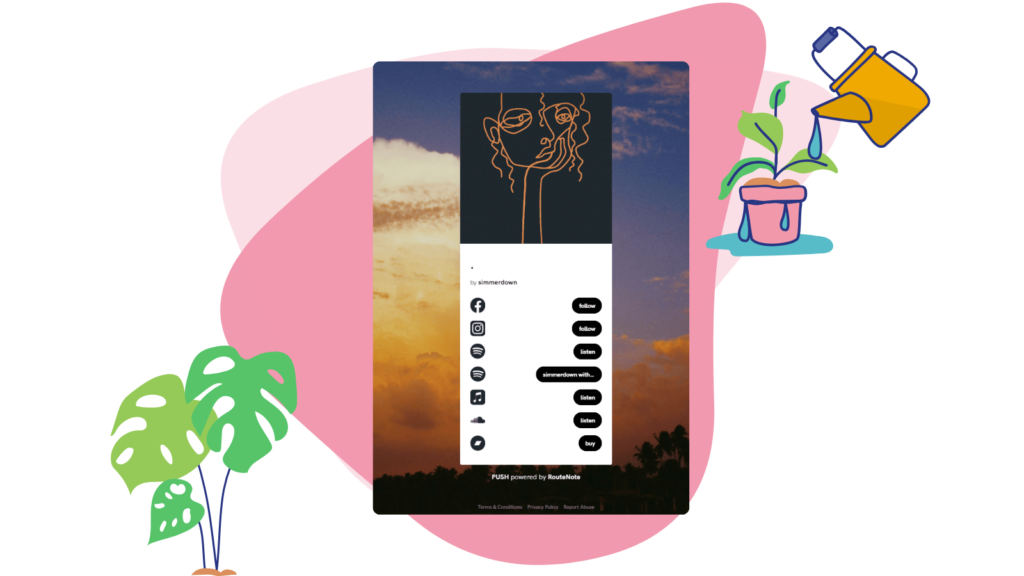
Previously, when you added your social media handles to any PUSH link, they appeared like all your other websites or music platforms. The icons would be on the left, with a text button on the right. Clicking the button would, of course, take you directly to your profile on that platform.
You could customise the logos, as shown in the photo above, to match your overall vibe. However, they still appeared in line with all your other links, which could make your Smart Links feel a little crowded.
For Pre-saves, the social icons appeared in the same way, but at the bottom of the link, underneath the Pre-save button. While this worked, it wasn’t as visually appealing as it could have been, and could sometimes distract from the main content.
More control over your Smart Link layout
We’re excited to announce our makeover that makes your social icons look like part of the furniture, like they were always supposed to be there. At the same time, it gives you greater control over how prominent they appear.
We’ve added a social media toolbar which will allow you up to 7 social icons. These will appear as smaller icons compared to that of your store links. They’ll be in a horizontal formation and will be positioned where you feel is best.
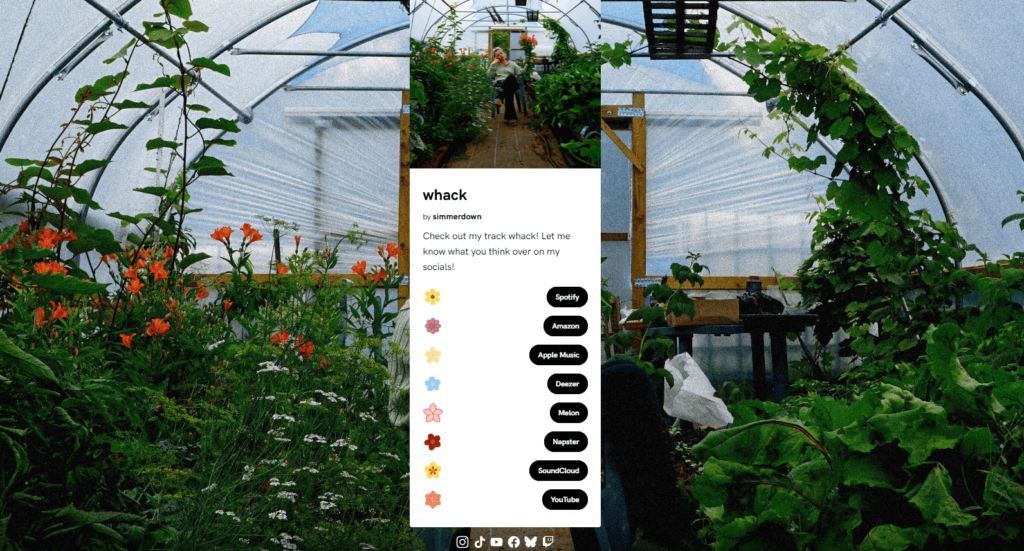
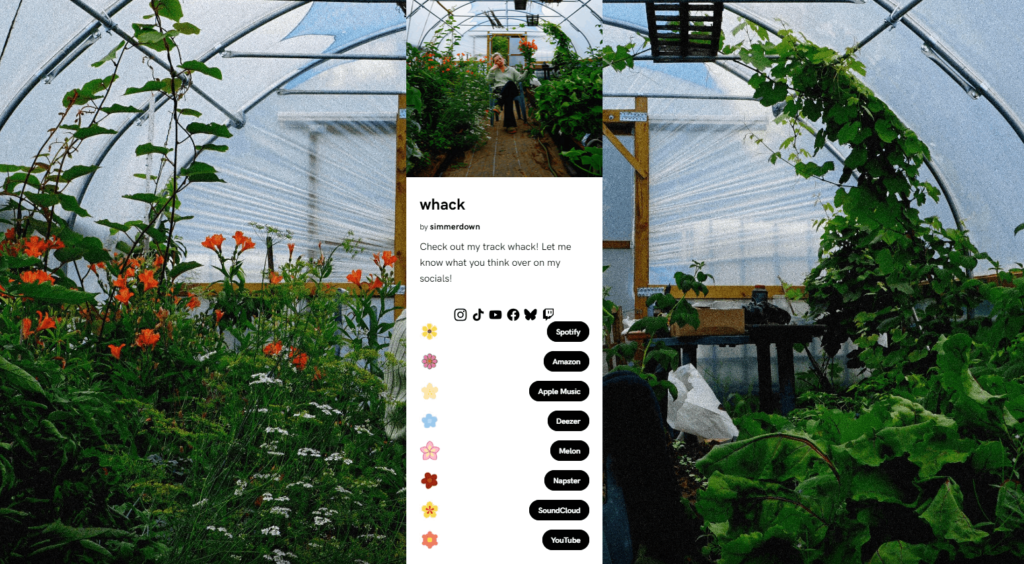
You can choose to place your social icons above or below your link, and this can be customised for each link. For example, if your Bio Link highlights your social presence, placing the icons at the top makes sense. For a Fan Link where your music should be the focus, you might prefer the social bar at the bottom.
You can also reorder your social icons however you like. With our drag-and-drop feature, arranging your icons is quick and easy, giving you full control over the look of your landing pages. How your links appear, is up to you.
Connect your social accounts to PUSH.fm
The best part of this update? You can now connect your social media accounts directly to your PUSH account. Once connected, your social channels will automatically be added to every link you create — unless you choose to disable them for a specific link.
These connections appear under a new section called Social Icon Favourites. Whenever you create a Pre-save, Reward Link, Smart Link, or Competition, your social channels will show up automatically during the creation process. No extra steps required.
While editing a link, you can choose which social channels to include. If a channel is in your favourites, it will be added automatically, but you’re free to remove any you don’t want. The choice is entirely yours.
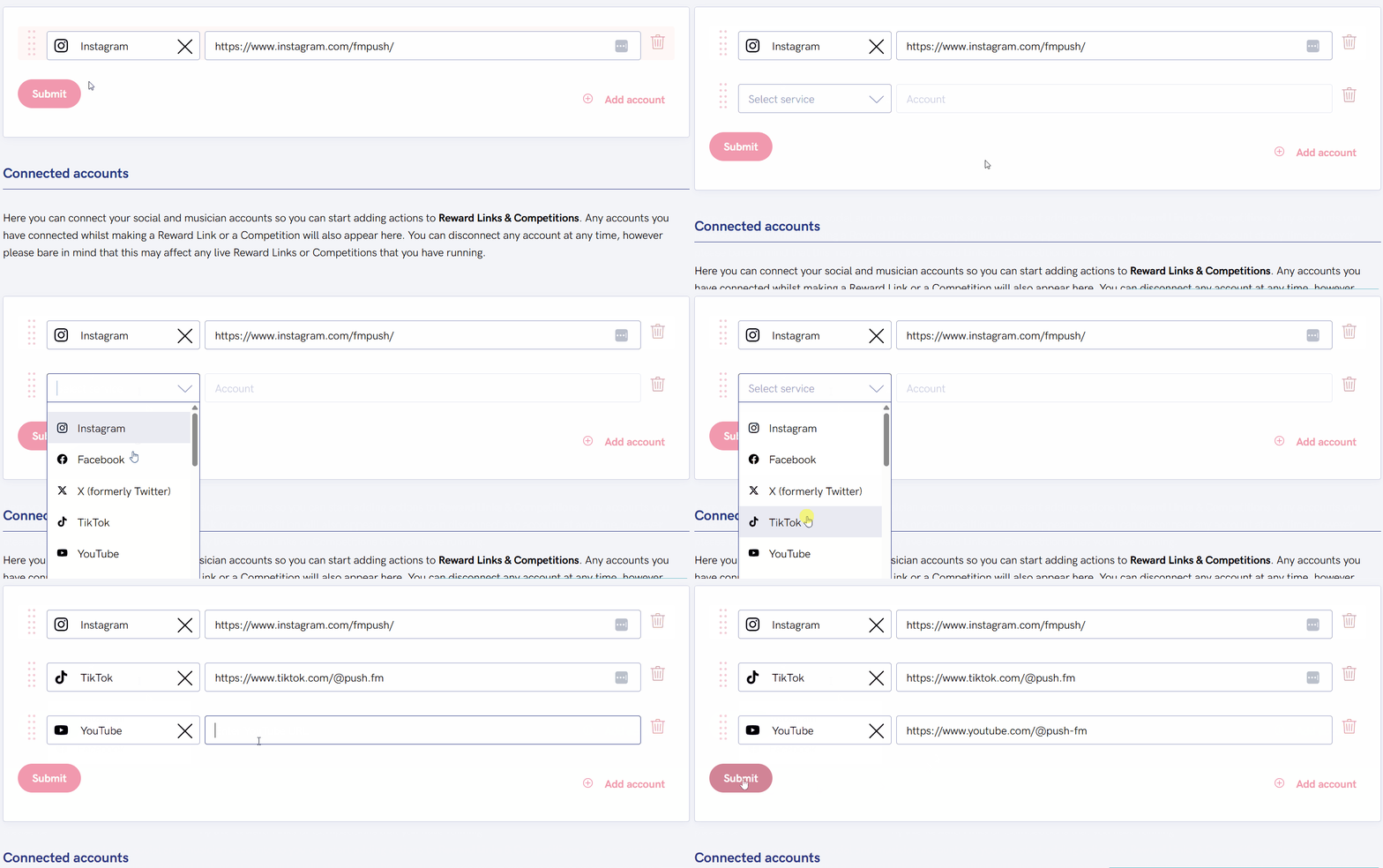
To set this up, go to Settings > Edit Profile and find Connected Accounts. Add your social URLs, and you’re ready to go. You can edit or remove them at any time by returning to the same page. Below is a list of platforms you can connect:
- Apple Music
- Apple Podcasts
- Bandcamp
- BeReal
- BlueSky
- Discord
- Github
- Mastodon
- Medium
- Patreon
- Personal Website
- Snapchat
- Soundcloud
- Spotify
- Substack
- Telegram
- Threads
- TikTok
- Twitch
- Twitter (X)
- YouTube


