
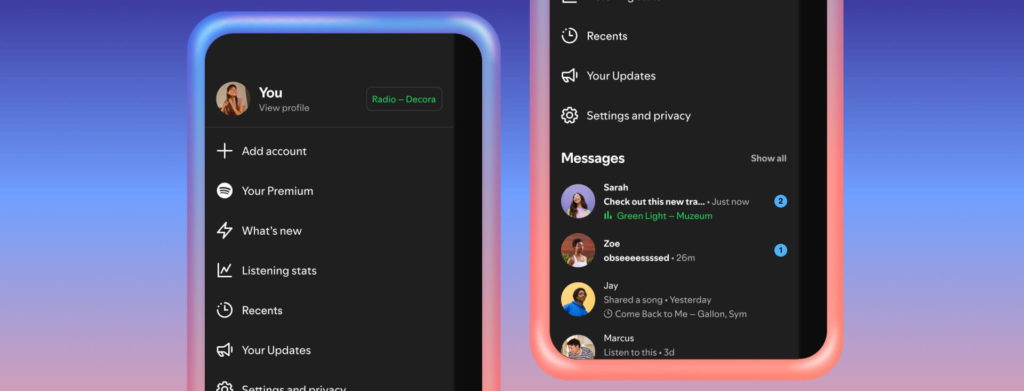
With the success of their introduction of Messages, Spotify decided to expand this feature and add two new options. A chance for you to share what you’re listening to in current time, and, a chance to jam out with friends.
Spotify saw a trend, of people sharing their favourite tracks with their friends and family. This isn’t something new either, people have been doing this since they used to exchange tapes and records. The only difference is, it is now so easy to share digitally.
The thing is, Spotify want to keep those shares within their platform. It’s great for them, cycling tracks around their app, and also the artists will likely see the benefits too, because people are probably more likely to click on a track their friend has sent within the platform they’re using.
The alternative is a track being shared via messaging apps outside of Spotify, and while that is still great, it doesn’t mean people will click on it and engage with it because that’s slightly more effort, to be bounced to a different app.
So, having it all in house is probably great for artists, too. Spotify noticed when they introduced their Messages feature, users took to the app to share songs, podcasts and audiobooks with those they love. Since then, almost 40 million users have engaged with the feature.
That lead to nearly 340 million messages being sent, which is a huge number. It’s no surprise that Spotify then developed the feature even further. They’ve now added two new features to Messages – Listening activity and Request to Jam.
Listening activity will allow users to see what their friends and family are listening to at that current moment. It will be available in real-time. While, Request to Jam allows users to easily turn moments into shared moments, listening to the same tracks.
Spotify Messages Listening activity
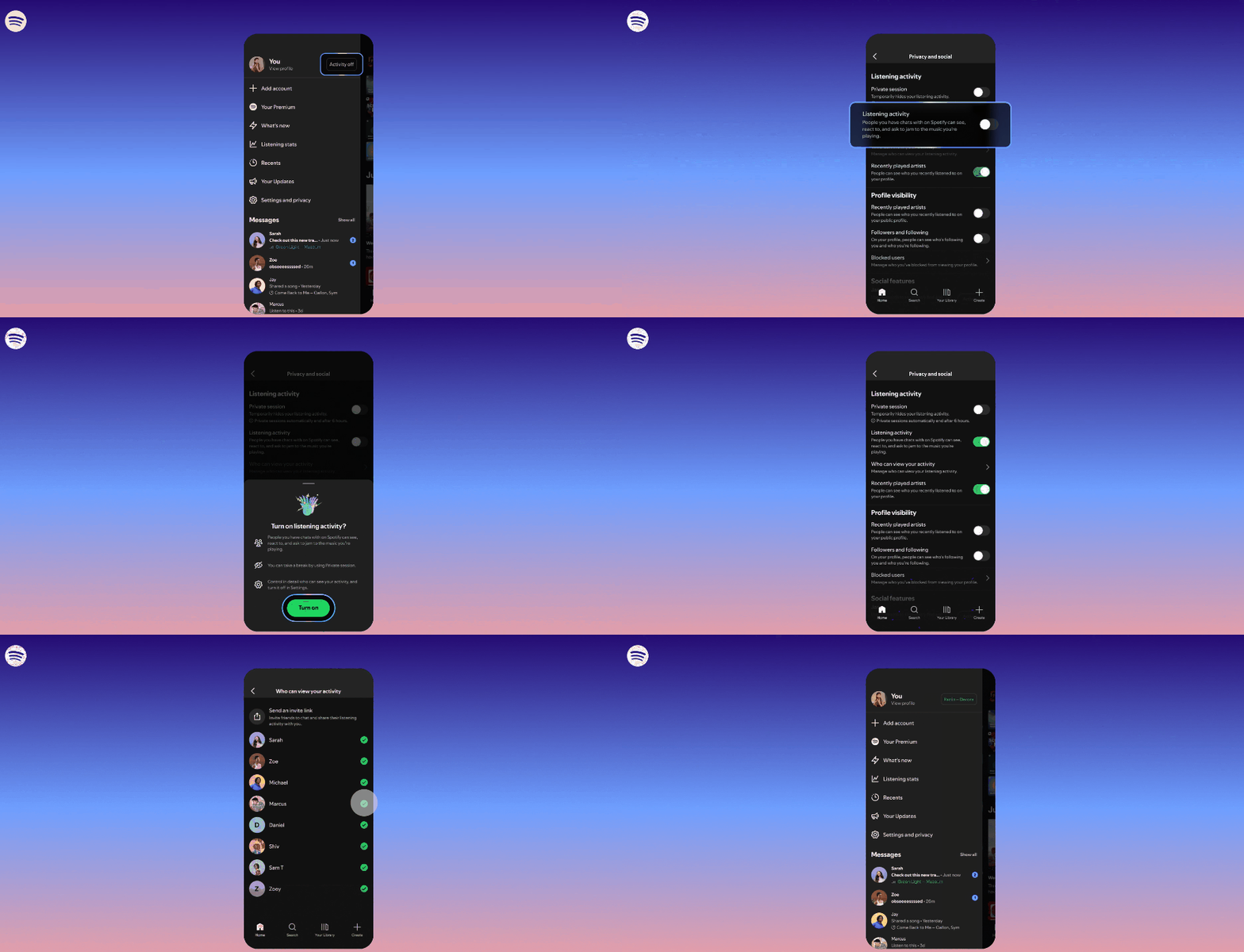
Listening activity is a brand-new feature which you have the choice to opt into. It allows you to display what track you’re currently listening to. If you’re not listening to anything, it will show your recent activity instead.
This will only be available to those you choose to connect with, for example, friends and family. You’ll also be able to see their activity, even if yours is turned off, providing they have opted in. Choose to turn it off or on at any point, here’s how:
- Head to the View profile button
- Choose Privacy and social settings
- Turn on your Listening activity
Once you have activated the feature, it will appear in the chat row, and also at the top of your Messages. If you click on a friend or family member’s activity, you can then add tracks to your library or start a playback inspired by them. You can also react by sending emojis.
Spotify Messages Request to Jam
To go alongside the previously mentioned addition, Spotify are introducing Request a Jam, which will allow users to turn their music listening time into shared moments. They’ll be able to invite friends and family they’re connected with to live listening sessions.
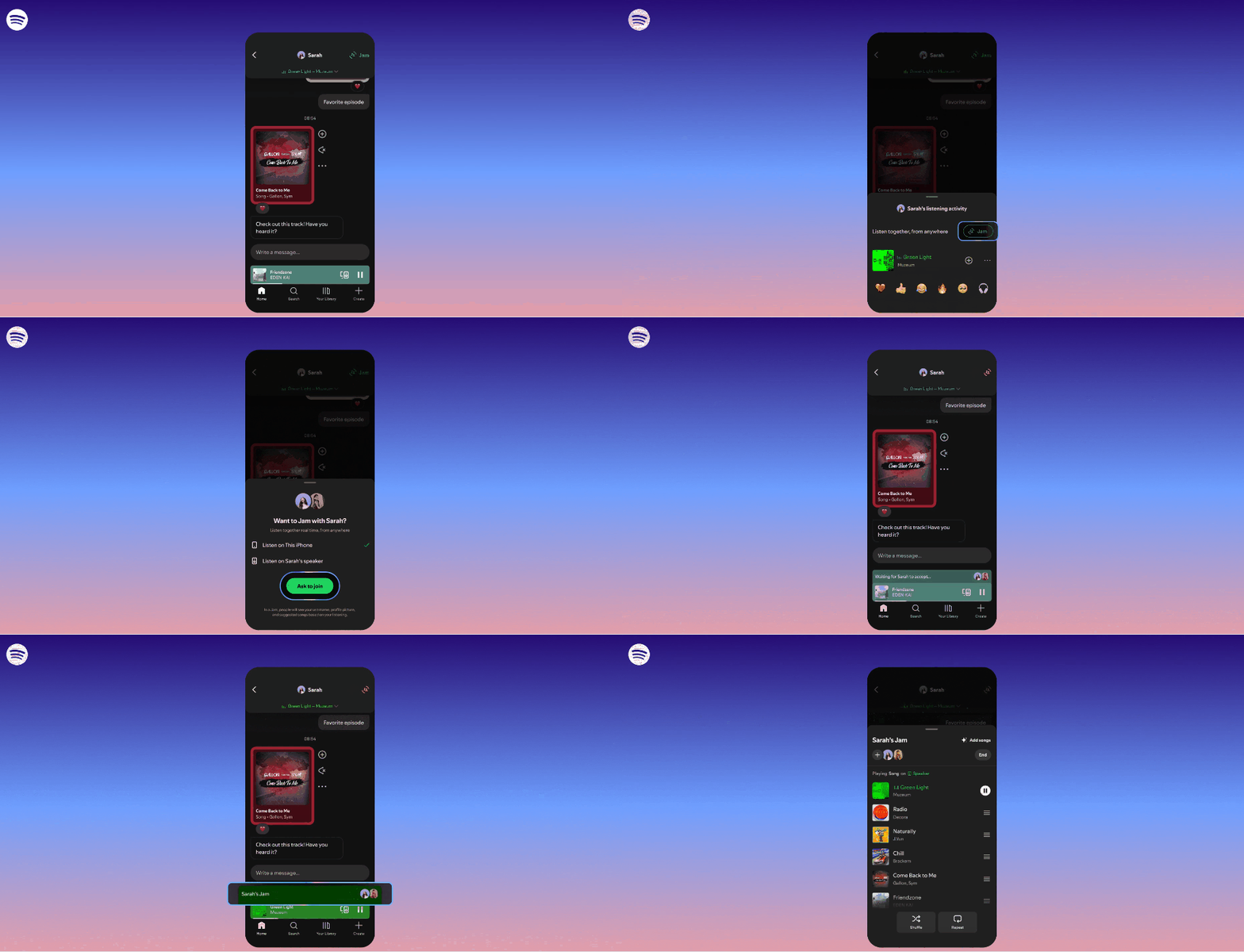
If you’re connected on Spotify with another user, you can drop them a request via Messages, and providing they are online, you can essentially jam out together by listening to the same tracks at the same time.
Spotify’s current Jam feature has continued to grow. Daily active users are said to have doubled year upon year. Jam allows listeners to connect no matter where they are, they no longer have to be in the same room to share the same experience.
However, now, Request a Jam makes it easier than ever to connect with someone on a music level. Whether you’re close by or thousands of miles away, you can sync up your tracks and listen together, when you’re not physically together. Here’s how to use it:
- Head to your Messages within Spotify – if you’re a Premium user, you can press the Jam button in the top-right corner and send a request for a remote Jam
- Your friend will receive a notification and will be able to accept or decline
- If they accept, they will become the host of the session. Both users within the Jam can add tracks to a shared queue.
Why use Spotify Jam?
When people Jam together, they will be able to see each other’s username, profile and suggested songs that suit both of your shared taste. Users can opt to leave a Jam whenever they want, they can simply request again another time.
If a Jam request hasn’t been accepted within a few minutes, it will time out. This is just to avoid anyone jamming alone. Any market with Messages enabled on iOS or Android will be able to access these two new features by February at the latest.
Those with a free account will be able to join a Jam session when requested by a Premium user, though, they cannot request one themselves. Due to the nature of the Messages feature, these extras can only be accessed by users 16 and over.


