
Spotify is integrated with over 2,000 devices worldwide. There are so many ways you can access the music streaming platform, including now, through ChatGPT.
Spotify has successfully integrated with thousands of platforms previously. From CarPlay, to airlines. You can listen to the streaming platform on the go through so many devices, making it easy to enjoy your favourite artists anywhere.
It’s never been easier to listen to music, a podcast or even an audiobook. However, it can sometimes feel daunting trying to access new music. Where do you find artists to try out? While there are so many tracks live on the platform, how do you know what’s for you?
Of course, Spotify is great for suggesting new artists, or music you might enjoy, but, sometimes, these suggestions can feel repetitive and limited. Likewise, how do you find new podcasts to try out? Well, fear not, ChatGPT has come into the chat…
ChatGPT now allows you to start conversations about Spotify. Both free and Premium Spotify users will be able to use their account within ChatGPT to receive personalised music recommendations, along with podcast suggestions.
Using ChatGPT for Spotify recommendations
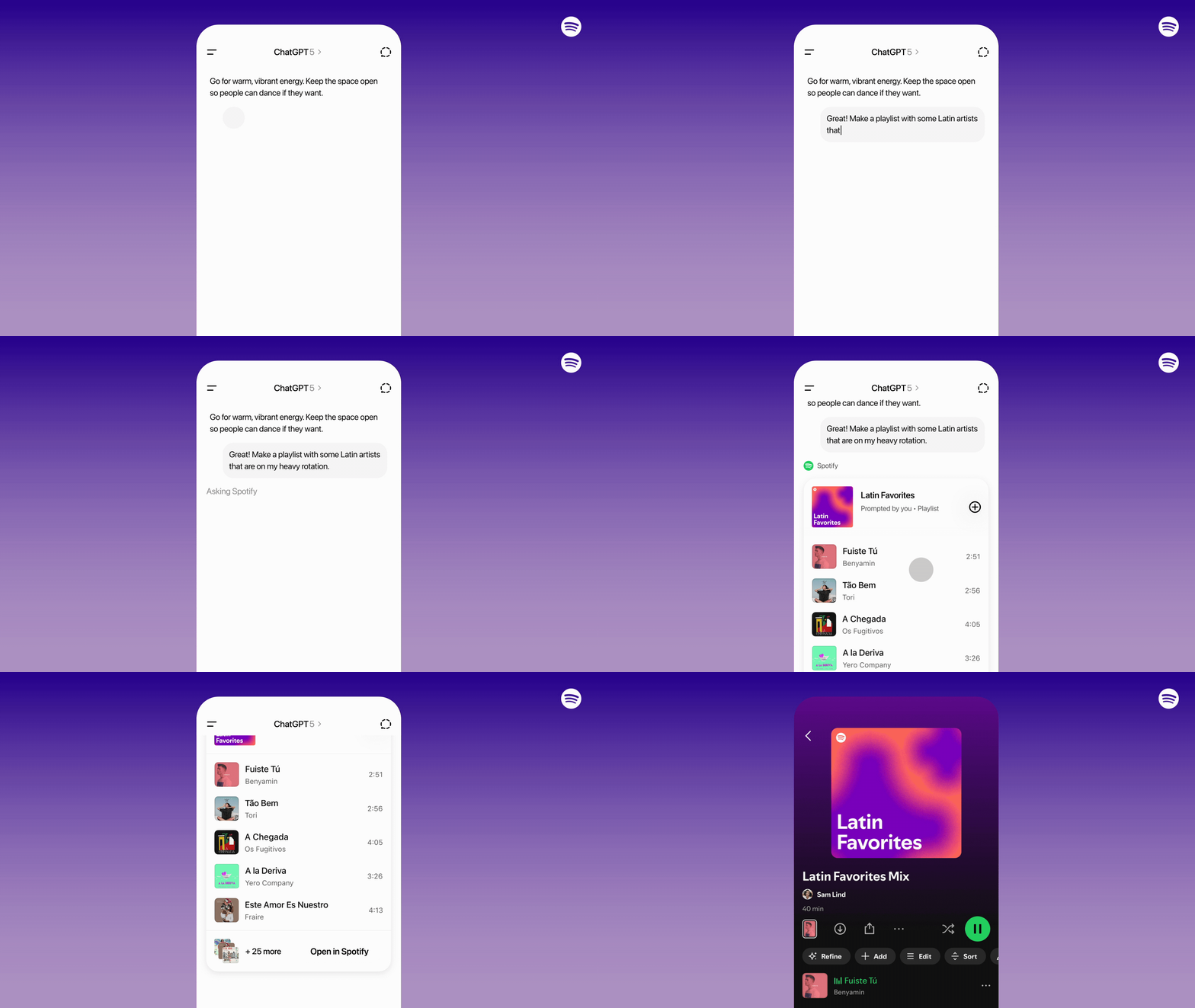
- Head to ChatGPT and ask about Spotify. You will then be prompted to connect your Spotify account.
- Ask for song, artist, playlist or podcast suggestions. ChatGPT will bring up the Spotify app within your conversation and recommend things for you to listen to.
- Suggest a mood, theme or topic and allow ChatGPT to work with Spotify to find picks for you.
- By clicking on a track, you’ll be redirected to Spotify with your account loaded.

Once your accounts are connected, you can tap into Spotify whenever you need. For example, if you’re asking ChatGPT about route suggestions for an upcoming road trip, you might want to ask for a playlist to be created.
Remember, with all new features there will be a period where not everything has been streamlined. You might need to wait and allow the feature to unfold slowly and fix any bugs or potential issues before it hits its full potential.
You have the ability to disconnect your Spotify from ChatGPT at any time. However, you will then lose any future suggestions. Spotify are certain artists and creators work will be protected throughout, and audio and video content won’t be sent simply for training.


