
Whether you’re a small business or independent artist, you’ll know how important it is to build and maintain a mailing list. Now you can use PUSH alongside the tools you love to help grow even faster!
For those of you already using services like Mailchimp and Kit, you’ll be pleased to know, we have now set up PUSH integration. This means, for our premium users who collect audience data, you can sync it with your email marketing accounts.
Every time an audience member interacts with your links, they will be able to sign up to your mailing list. What this does, through PUSH, is, collects their name and email address and compiles it into an easy-to-access list.
However, thanks to our recent update, no longer will you need to manually export a CSV file. Of course, if that’s how you prefer to work, you will still have access to do so. But, for those of you who input these email accounts into a marketing platform, we can now help.
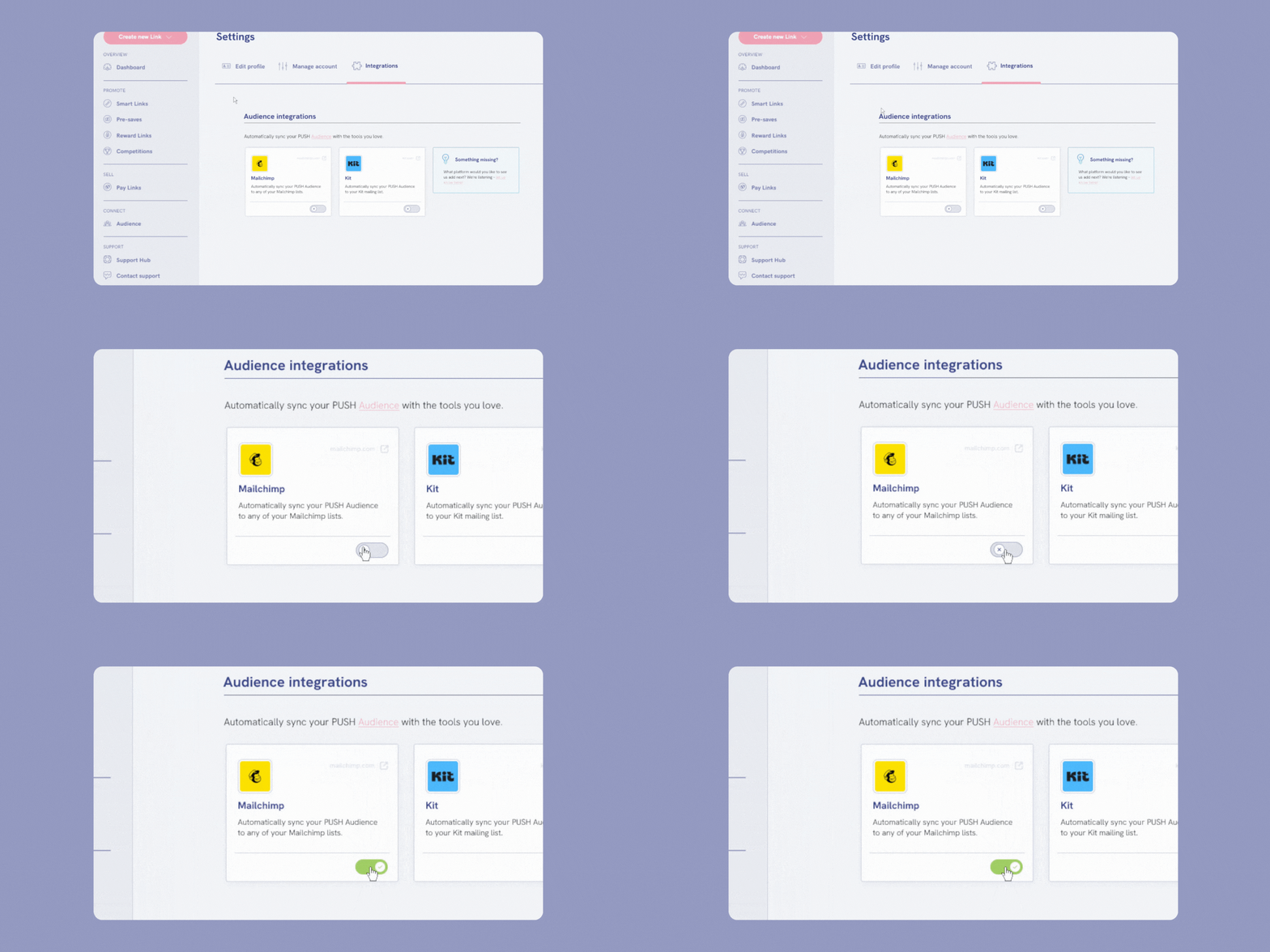
In just minutes, you can connect either your Kit or Mailchimp account, or even both. From there, our platform will automatically sync with your email list. Each time someone signs up to your mailing list, their details will be added to your PUSH data.
This data will be automatically sent across to your Mailchimp or Kit profile. You can manually turn this sync off at any stage, and your current contacts will remain where they are. Turning it back on at a later date will mean an instant update of the contacts collected.
Who can use Mailchimp or Kit integration?
In order to access this option, you must have a Premium PUSH.fm account. This is just $5 per month and will ensure all audience data is collected when you choose to add the option to your links. If you downgrade, the data collection will be paused.
You can add the Mailing List button to your link whether you’re on our free or Premium plan. We will collect your audience emails either way. However, you will need to upgrade your account to use integration services.
On Mailchimp, you can integrate your list for free, they do not require a subscription. However, if you’re looking to use Kit, you will need to be part of their Creator plan. This is $25/month and allows you up to 1,000 subscribers.
How to turn on integration
It’s easy! Either head to your Settings within your PUSH account and choose Integrations, or, head to your Audience page and select Manage Integrations from the right-hand side. You’ll see the Kit and Mailchimp logos next to this button.
From there, you will be redirected to the Integrations page. Use the toggles underneath the platforms to switch them on. You will need to authorise the connection, but a window will pop up for you to do this easily. Once connected, syncs will be automatic.
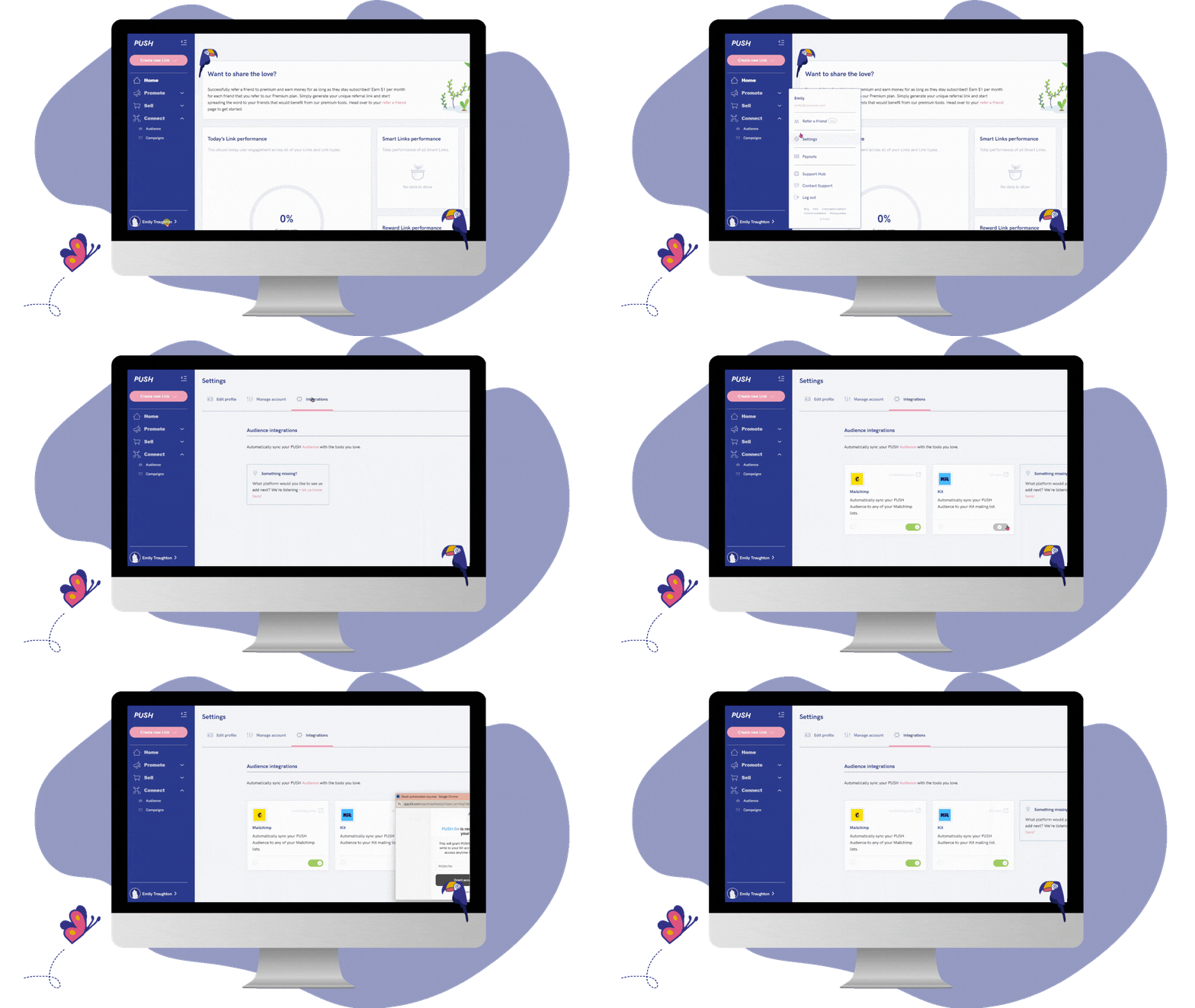
If you downgrade or choose to turn the integration off at any stage, you will need to re-authenticate the access should you wish to turn it back on. Any data collected in the meantime will then sync immediately. Emails are collected on both free and paid accounts.
By adding this process, we hope we will make email marketing smoother for all PUSH users. While you can still see all emails and audience data in your PUSH account, now, you can send that data directly to your email builder.
We hope this new feature will help you take your digital marketing strategy to the next level, and enable you to get even more out of PUSH’s features. We always love hearing your feedback or suggestions, so reach out to us at support@push.fm!


