
You’ve spent weeks preparing for your next music release. Your Pre-save campaign is live, promotional posts are scheduled and fans are expecting your new single, EP or album on a particular date.
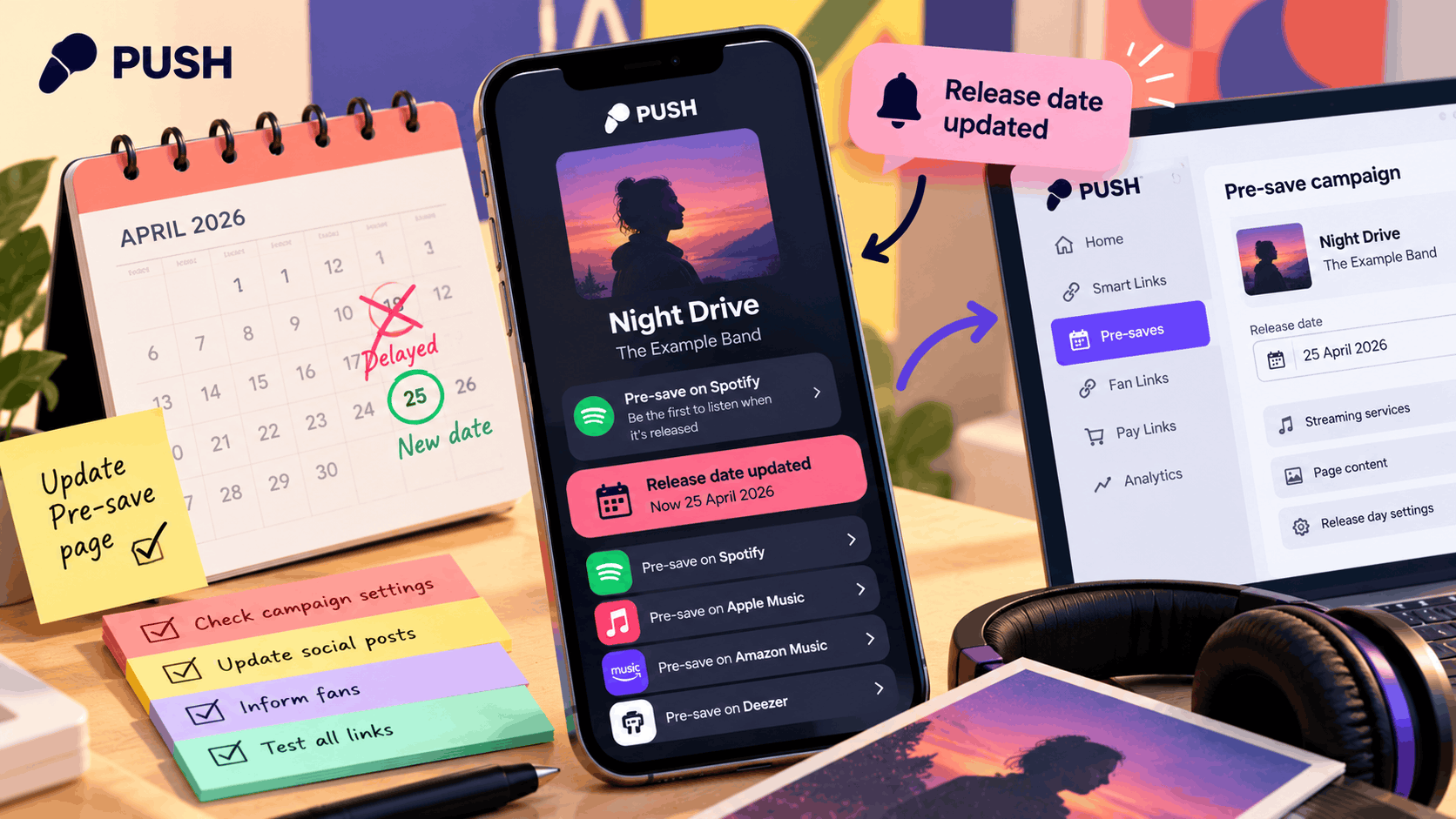
Then something changes.
Whether it’s a distribution issue, an unexpected delay or a change to your release schedule, postponing music can affect more than your original announcement.
Your Pre-save page, social media captions, email campaigns and promotional links may still be telling fans to expect music on a date that’s no longer accurate.
A delayed release Pre-save checklist can help you manage these changes without creating unnecessary confusion.
By confirming the release status, reviewing your promotional pages and communicating clearly with fans, you can keep your campaign organised while the new arrangements are being confirmed.
The most important thing is to share accurate information, avoid making promises you can’t verify and ensure your promotional links reflect the current situation.
Confirm your release status before making changes
Before updating your Pre-save campaign or announcing a delay, establish exactly what’s happening with your release.
A missing streaming link or an unexpected delivery issue doesn’t necessarily mean your entire release has been postponed.
Check with your music distributor
Start by contacting your distributor or the person responsible for managing your release delivery.
Confirm:
- Whether the entire release is delayed.
- Whether the issue affects only certain streaming services.
- Whether the release is still being processed.
- Whether a new release date has been confirmed.
- Whether any action is required from the artist.
- Whether the issue affects a particular recording or version.
This information will help you decide which promotional materials need updating.
Confirm the correct release details
Make sure everyone involved is discussing the same release.
Check the official:
- Artist name.
- Release title.
- Recording version.
- Original release date.
- New release date, if confirmed.
- Affected streaming destinations.
This is particularly important when you’re promoting several singles or alternative versions of the same recording.
For example, a delay affecting an acoustic version doesn’t necessarily mean the original studio recording is also delayed.
Avoid announcing an unconfirmed date
If your distributor hasn’t confirmed a replacement date, don’t guess.
Announcing a new date too early could mean having to correct your promotional materials again.
Instead, explain that the release has been delayed and that you’ll provide another update when the details are confirmed.
Tip: Keep a written record of the information you’ve received so everyone involved in your campaign is working from the same facts.
Review your Pre-save campaign settings
Once you’ve established the release status, review your existing Pre-save campaign.
Your promotional page may still contain information based on the original release date.
Check the current campaign details
Open your Pre-save campaign and review:
- The release title.
- Artist information.
- Release artwork.
- Scheduled release date.
- Supplied streaming service information.
- Any available editing options.
- Any release-day conversion settings.
PUSH.fm’s Pre-save campaigns allow artists to promote upcoming music and encourage fans to save releases ahead of launch.
If your release date changes, review the available campaign settings before making assumptions about how the existing page will behave.
Check what happens to existing pre-saves
One of the most important questions is whether fans who have already pre-saved your music need to take any additional action.
The answer may depend on the streaming service, release information and campaign configuration.
Don’t automatically assume that existing pre-saves will transfer to a revised release date.
Equally, don’t tell fans they need to pre-save again unless you’ve confirmed that this is necessary.
If you’re unsure how your campaign will behave after a date change, contact the PUSH.fm support team for guidance.
Review automatic release-day conversion
Some Pre-save campaigns may have options that change the promotional experience when the music becomes available.
If you’re using an automatic conversion feature, review how it’s configured.
A release delay may mean that the original transition date no longer matches the actual availability of your music.
Don’t assume that an automatic conversion will resolve a distribution delay by itself.
Confirm the supported behaviour of your campaign before relying on it.
Use this delayed release Pre-save checklist
When a release is postponed, several parts of your campaign may need attention.
The following checklist can help your team work through the changes in a consistent order.
| Checklist item | What to check | Why it matters |
|---|---|---|
| Confirm the scope | Identify which release or streaming services are affected | Prevents incorrect announcements about unaffected music |
| Verify the release date | Record the original date and any confirmed replacement date | Keeps everyone working from accurate information |
| Review campaign settings | Check release details and available editing options | Helps identify what needs updating |
| Inspect the public page | Look for outdated dates or promotional promises | Prevents fans receiving misleading information |
| Review scheduled promotion | Check upcoming posts, emails and advertisements | Stops outdated announcements from being published |
| Agree on the announcement | Prepare one accurate explanation for the artist team | Keeps communication consistent |
| Confirm fan instructions | Establish whether existing pre-saves require action | Avoids unnecessary or incorrect instructions |
| Test updated links | Open the revised public pages and destinations | Confirms that changes work as expected |
| Assign responsibility | Decide who will monitor the release status | Prevents important updates being overlooked |
| Schedule another review | Agree when the campaign will be checked again | Helps keep information accurate as the situation develops |
You can use this checklist for a single release or adapt it for larger campaigns involving multiple artists and promotional channels.
Tell fans what has been confirmed
Once you’ve established the situation, communicate the change clearly.
Fans don’t necessarily need a detailed explanation of every conversation between your artist team, distributor and streaming services.
They do need to know whether the release is still happening, what has changed and whether they need to do anything.
If the new release date hasn’t been confirmed
You can use a message such as:
Example announcement:
“A quick update on [Release title]: unfortunately, it won’t be available on [original date] as planned.
We’re currently confirming the next steps and will share the new release date as soon as it’s agreed.
Thank you for your patience and continued support!”
This message acknowledges the delay without promising a replacement date that hasn’t been confirmed.
If you have a confirmed new release date
Once the new date has been verified, you can provide a more specific update.
Example announcement:
“An update on [Release title]: our new release date is [confirmed date].
We’ve updated our release information, which you can find here: [campaign link].
[Include any verified instructions regarding existing pre-saves.]
Thank you for sticking with us. We can’t wait for you to hear the music!”
Only include the pre-save instruction once you’ve confirmed what applies to your campaign.
Keep the explanation factual
Avoid blaming your distributor, a streaming service or another partner unless the cause has been established and you’re comfortable sharing that information.
You also don’t need to disclose private business discussions or technical details.
A short, accurate update is usually more helpful than a lengthy explanation based on assumptions.
Update your promotional pages and links
After announcing the delay, review the destinations fans are using to find your release.
Even if you’ve posted an update on social media, older promotional materials may still contain the original date.
Check your main campaign destinations
Start with the pages you’re actively promoting.
These might include:
- Your Pre-save campaign.
- Your PUSH.fm Fan Link.
- Your artist website.
- Your social media bios.
- Your email newsletter.
- Your release announcement page.
- Your Smart Links.
- Any relevant partner campaign pages.
PUSH.fm’s Fan Links allow artists to bring their music, social profiles and other promotional destinations together.
If you’re using a Fan Link as your central promotional destination, review the information and links displayed there.
Update outdated release information
Look for wording such as:
- Out on Friday.
- Available from [original date].
- Pre-save before [original date].
- New music arriving tomorrow.
- Listen from midnight.
These statements may no longer be accurate.
Replace them with confirmed information or remove the outdated date until a new one has been established.
For example, instead of:
“Our new single arrives on 30 October!”
You might use:
“Our new single has been delayed. We’ll share the confirmed release date as soon as we can.”
This keeps the message accurate without creating another unverified promise.
Check scheduled promotional content
Don’t forget about content that hasn’t been published yet.
Review any scheduled:
- Instagram posts.
- TikTok videos.
- Facebook updates.
- YouTube descriptions.
- Email campaigns.
- Paid advertisements.
- Artist website announcements.
A scheduled post announcing that your music is available could create confusion if the release hasn’t actually appeared.
Pause or update anything that no longer reflects the confirmed release status.
Keep your Smart Links accurate
Smart Links can help artists direct listeners towards multiple music destinations through one shareable URL.
However, a release delay may affect which destinations are available and when.
Review your existing Smart Links
If you’ve already created a Smart Link for the release, check:
- Whether the page is publicly accessible.
- Whether the artist and release details are correct.
- Whether any displayed release dates are outdated.
- Whether the listed streaming destinations are available.
- Whether the main action still matches the campaign status.
PUSH.fm’s Smart Links can provide a central destination for your music promotion.
Keeping that destination accurate can make it easier for fans to find the latest information.
Understand the difference between links and distribution
Updating a Smart Link or Fan Link doesn’t change the release information held by your music distributor.
For example, editing a streaming URL on your promotional page won’t automatically change the release date submitted to Spotify or Apple Music.
These are separate processes.
If your release date needs changing at the distribution level, follow the appropriate process with your distributor.
If you need to edit a destination on your PUSH.fm page, use the available link-management settings.
You can find additional guidance in the PUSH.fm Help Centre.
Test your public page after making changes
Once you’ve updated your promotional destinations, open the public URL and check the result.
Don’t rely solely on the editing screen.
Confirm that fans can access the page and that the information displayed matches the current release status.
Coordinate updates across your artist team
If several people are involved in your campaign, make sure everyone knows which information has been confirmed.
This is particularly important when managers, featured artists, publicists or social media teams are preparing separate promotional materials.
Share one confirmed update
Create a short internal note containing:
- The affected release.
- The original release date.
- The current confirmed status.
- The new release date, if available.
- The correct campaign URL.
- Any verified instructions for fans.
- The person responsible for future updates.
This gives everyone a consistent reference.
Assign responsibility for the campaign
Agree who will:
- Contact the distributor.
- Review the Pre-save campaign.
- Update the promotional pages.
- Amend scheduled content.
- Communicate with fans.
- Check streaming availability.
- Confirm when normal promotion can resume.
For independent artists, one person may handle several of these tasks.
The important thing is that nothing gets overlooked.
Keep collaborators informed
If your release features another artist, make sure they receive the updated information before continuing their promotion.
You don’t need identical social media captions, but the release date, link and instructions should remain consistent.
This prevents fans from receiving conflicting messages depending on which artist they follow.
Check your campaign again before the new release date
Once a new release date has been confirmed, review your campaign again.
Don’t assume that every destination or scheduled action has automatically adjusted.
Recheck your Pre-save page
Confirm that the information displayed matches the revised release details.
If your campaign uses a supported release-day conversion feature, verify its configuration and expected behaviour.
If you’re unsure whether an existing pre-save will remain valid, seek confirmation before giving fans instructions.
Review your promotional schedule
Update your planned content to reflect the new date.
This might include:
- Release countdown posts.
- Email announcements.
- Artist website updates.
- Promotional videos.
- Social media captions.
- Paid advertisements.
Make sure everyone involved is using the same confirmed information.
Test the links before promotion resumes
Open your public campaign pages and check that they work as expected.
Pay particular attention to the main action you’re asking fans to take.
If your page promises a pre-save, confirm that the supported pre-save journey is available.
If it promises streaming access, verify that the recording can actually be reached through the advertised destinations.
Confirm availability on release day
When the revised release date arrives, check that the music is available before changing your promotional messaging.
A confirmed release date doesn’t necessarily mean every streaming destination will become accessible at exactly the same moment.
Check the correct recording
Open the destinations you’re advertising and confirm:
- The correct artist is displayed.
- The release title matches.
- The intended recording version is available.
- The artwork is accurate.
- The streaming destination works.
- The public promotional page directs fans correctly.
If a particular service isn’t showing the release yet, investigate before making claims about its availability.
Update your campaign messaging
Once you’ve verified that the release is available, you can update your promotional wording.
For example:
Release-day announcement:
“It’s finally here! [Release title] is now available.
Thank you for your patience while we worked through the delay.
You can listen to the release here: [verified Smart Link].
We really appreciate your support!”
This acknowledges the delay while giving fans a clear next step.
Keep important updates accessible
If fans are still arriving through older promotional materials, make sure they can find the correct release information.
You may want to keep a brief explanation available where it’s relevant, particularly if the original announcement received significant attention.
The aim is to help listeners reach the music without having to search through several posts to understand what happened.
Make your delayed release easier for fans to follow
A delayed music release can be frustrating, especially when you’ve already invested time in preparing your promotional campaign.
However, clear communication and accurate links can help you manage the change.
Start by confirming the release status with your distributor, then review your Pre-save campaign and identify any promotional information that needs updating.
Tell fans what you know, avoid promising an unconfirmed date and only provide instructions about existing pre-saves once you’ve verified what applies.
As the new release date approaches, test your campaign pages again and confirm streaming availability before announcing that the music is live.
An accurate update, a well-maintained Pre-save campaign and a clear listening destination can help fans follow your release, even when the original plans change.