When two artists collaborate on a song, promoting the release requires more than simply sharing a link. Both artists need to make sure their audiences can find the correct recording, recognise the artist credits and understand where to listen.
If one artist shares a different version, an outdated link or incorrect release information, it can create confusion for fans.
A featured artist release page checklist helps collaborators organise these details before promoting their music.
Whether you’re releasing a single with a featured vocalist, collaborating with another producer or working with several artists, having one consistent destination can make your promotional campaign easier to manage.
The key is to agree on the release information, choose a shared destination and establish who is responsible for keeping everything accurate.
Confirm the release details with every artist
Before creating your release page, make sure everyone involved agrees on the official release information.
This might sound straightforward, but small differences in song titles, artist names or recording versions can cause problems when sharing links.
Check the official artist credits
Start by confirming:
- The correct spelling of each artist’s name.
- Which artist is credited as the primary artist.
- How featured artists are displayed.
- The official song or release title.
- Whether the release includes a remix or alternative version.
- The confirmed release date.
Compare these details with the information supplied to your music distributor.
Your promotional page should accurately reflect the recording you’re directing fans towards.
Make sure you’re promoting the correct recording
Collaborations sometimes involve several versions of the same song.
For example:
- Original recording
- Radio edit
- Clean version
- Extended mix
- Acoustic version
- Remix
- Live recording
Similar artwork or song titles don’t necessarily mean two links lead to the same recording.
Check each destination individually to make sure fans are reaching the intended version.
Tip: If you’re using a shortened song title in social media captions, make sure your release page still displays enough information for new listeners to recognise the official release.
Choose one main campaign action
Before building your promotional page, decide what you want fans to do when they open it.
Your main campaign action may change depending on whether the music has already been released.
Before release day
If your music hasn’t been released yet, your main action might be encouraging fans to pre-save the upcoming track.
A pre-save campaign can help listeners prepare for the release and give both artists a destination to promote before launch.
PUSH.fm’s Pre-save campaigns allow artists to create promotional pages for upcoming music.
Make sure any pre-save option you advertise is supported by your campaign setup.
After release day
Once the track is available, the main action will usually be encouraging fans to listen.
A music Smart Link can bring multiple listening destinations together on one page.
For example, your release page might include links to:
- Spotify
- Apple Music
- YouTube Music
- Amazon Music
- Other supported streaming services
PUSH.fm’s Smart Links allow artists to share multiple music destinations through one link.
This means both collaborators can direct fans towards the same release page rather than sharing separate streaming URLs.
Keep the main action consistent
Make sure both artists understand what the link is intended to do.
If one artist promotes a digital download while another advertises streaming access, fans may arrive expecting different things.
Agree on the main campaign message before either artist begins posting.
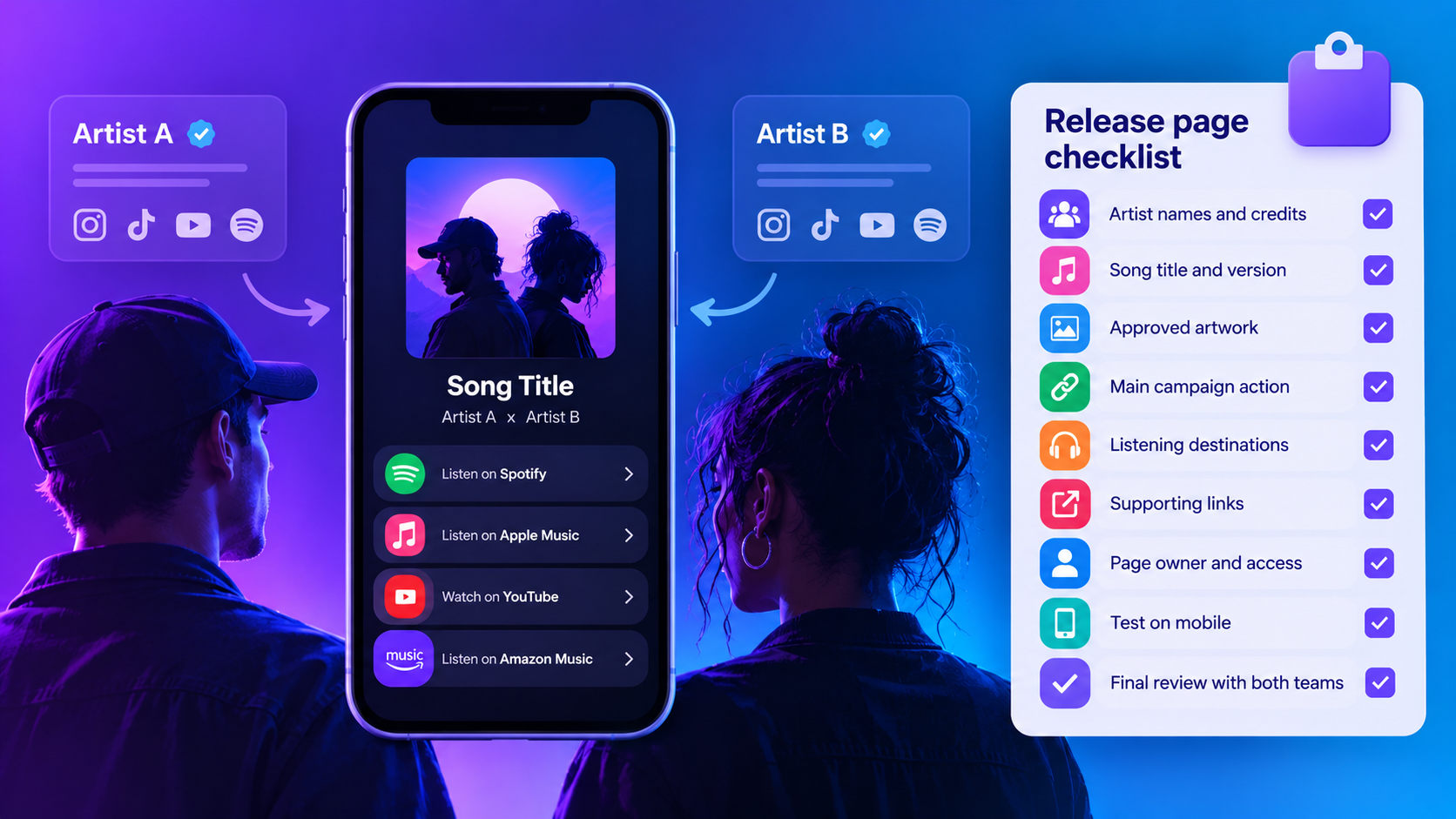
Use this featured artist release page checklist
Before publishing your collaborative release page, review the following checklist together.
| Checklist item | What to check | Why it matters |
|---|---|---|
| Artist names | Confirm the spelling of every artist’s name and featured credit | Helps fans recognise the correct collaboration |
| Song title | Match the title to the official release | Prevents confusion between similarly named recordings |
| Recording version | Check that each destination opens the intended mix or edit | Ensures fans reach the correct music |
| Artwork | Use approved artwork and confirm permission for additional images | Keeps the campaign visually consistent |
| Release status | Confirm whether the music is upcoming or available | Prevents misleading promotional messages |
| Main campaign action | Agree whether fans should pre-save, stream or take another supported action | Keeps both artists’ promotions aligned |
| Listening destinations | Test every streaming service link | Helps identify incorrect or broken destinations |
| Supporting links | Check that any additional artist profiles are correct | Prevents fans being directed to unrelated accounts |
| Page owner | Identify who is responsible for maintaining the page | Makes it clear who should resolve issues |
| Public URL | Record the final link in shared campaign notes | Ensures everyone promotes the same destination |
| Mobile experience | Open the public page on a phone and test the main action | Helps confirm the page works for mobile visitors |
| Final approval | Ask both artist teams to review the page | Gives collaborators an opportunity to identify mistakes |
Completing these checks before promotion begins can reduce confusion and help both artists share a consistent campaign.
Build a shared release page
Once you’ve confirmed the release information, create a destination that both artists can use.
A shared Smart Link can make promotion more straightforward by providing one central location for the recording.
Put the release first
Your collaborative release should be the main focus of the page.
Make sure the following information is easy to identify:
- Song title
- Artist names
- Featured artist credits
- Release artwork
- Main listening destinations
Additional profile links can be useful, but they shouldn’t distract from the primary action.
For example, if you’re promoting a new single, the page should make it easy for fans to find the track before exploring unrelated content.
Include supporting links where relevant
Depending on your campaign, you might also include:
- Artist social media profiles.
- Official websites.
- Music videos.
- Behind-the-scenes content.
- Related promotional pages.
Only include destinations that are relevant to the collaboration.
Avoid adding unnecessary links simply because they’re available.
Test every destination
Before publishing, open each link and confirm that it leads to the correct recording or profile.
Don’t assume that because the first streaming button works, the remaining destinations are correct.
If you need to update a destination, make the change through the appropriate link-management settings and test the public page again.
You can find guidance on managing your links in the PUSH.fm Help Centre.
Set a clear owner for your release page
When several artists or managers are involved in a campaign, it’s important to establish who is responsible for maintaining the shared destination.
Without a clear owner, small problems can be overlooked because everyone assumes someone else will resolve them.
Decide who will manage the page
Before launching, agree on:
- Which account will host the release page.
- Who will create and maintain it.
- Who will update streaming destinations.
- Who will check the page on release day.
- Who should be contacted if a link stops working.
- Who will coordinate changes with the other artists.
Having one person responsible for the page can simplify communication.
Avoid sharing account passwords
A shared promotional campaign doesn’t mean everyone needs access to the same login credentials.
Use the access options supported by your platform and agree on a clear process for requesting changes.
For example, if the featured artist notices an incorrect streaming link, they should know who to contact.
The page owner can then make the correction and confirm that the updated destination works.
Prepare for release day
If the person managing the page won’t be available when the music launches, arrange a suitable handover beforehand.
Keep a simple record of:
- Page owner
- Final public URL
- Date of the most recent link check
- Contact responsible for reporting issues
- Any outstanding updates
Remember that managing a promotional page is separate from determining recording ownership, royalties or other collaboration agreements.
Those arrangements should be handled independently.
Coordinate your promotional messages
Both artists can promote the same release while maintaining their own personalities and communication styles.
The important thing is that the information they share remains accurate.
Agree on the essential details
Before posting, make sure everyone has:
- The official release title.
- The correct artist credits.
- The confirmed release date.
- The final campaign URL.
- The main action fans should take.
- Any approved artwork or promotional assets.
You don’t need identical captions across every social media account.
However, the core release information should remain consistent.
Example promotional caption
“Our new track [Song title] is available now! Listen on your favourite music platform here: [Smart Link].”
This gives fans a clear explanation of what they’re clicking.
Each artist can adapt the wording to suit their audience.
Avoid promoting unavailable music
Only use phrases such as ‘out now’ or ‘available now’ once you’ve confirmed that the recording is accessible.
If a streaming destination hasn’t appeared yet, don’t replace it with an unrelated version of the track.
Instead, check the release status and update your promotional information accordingly.
Accuracy is more important than rushing to publish.
Test the release page on mobile
A large proportion of music promotion takes place through social media, where fans often open links on their phones.
Testing the mobile experience is therefore an important part of preparing your campaign.
What should you test?
Open the final public URL on a mobile device and check:
- Does the page load correctly?
- Is the artwork displayed properly?
- Are the artist names and song title readable?
- Is the main action easy to identify?
- Do the streaming buttons work?
- Are supporting links accurate?
- Does the page display correctly on different screen sizes?
Where possible, ask someone who hasn’t worked on the campaign to test the page.
They may notice issues that are easy to overlook when you’re familiar with the setup.
Test the public link, not just the editor
A page may appear correct while you’re editing it, but that doesn’t guarantee visitors will have the same experience.
Always test the published URL that fans will actually receive.
If you make changes after testing, open the public page again to confirm everything still works.
Review campaign results without making assumptions
Once both artists begin promoting the release, you may want to understand how audiences are interacting with the shared page.
Campaign reporting can provide useful information, but it’s important to understand what the available data actually represents.
Understand the limits of shared links
If both artists promote the same public Smart Link, the page’s total visits don’t automatically tell you which artist generated each visit.
For example, if the page receives 1,000 visits, you shouldn’t assume that 500 came from each artist.
Without suitable tracking information, you can’t reliably determine that split.
Use verified campaign information
Review the reporting options available through your current PUSH.fm setup.
Depending on the features supported, you may be able to examine information about interactions with your promotional links.
However, avoid claiming that your campaign can identify individual audience sources unless the available reporting actually supports that conclusion.
You can explore PUSH.fm’s promotional tools and features on the PUSH.fm website.
Share useful results with collaborators
After the campaign, discuss:
- Whether the shared page worked as expected.
- Whether any links needed correcting.
- Which promotional activities were completed.
- What the available reporting shows.
- Which improvements could help future collaborations.
Keep the discussion focused on information you can verify.
This can help both artists improve their promotional planning without relying on assumptions.
Prepare your collaborative release before launch
A successful collaborative release campaign benefits from clear communication and consistent information.
Before either artist starts promoting the music, make sure everyone agrees on the release details, main campaign action and shared destination.
Use your checklist to confirm the correct recording, artwork, artist credits and listening links.
Assign someone to maintain the page, test the public URL and give both artist teams an opportunity to review everything before launch.
Once those details are settled, each collaborator can promote the release in their own way while directing fans towards the same destination.
One accurate, well-maintained release page gives both artists a reliable link to share and helps fans find the music they’re looking for.