
Sharing your podcast effectively is one of the biggest challenges creators face. With so many listening platforms available – from Spotify and Apple Podcasts to Google Podcasts and Amazon Music – it can be difficult to direct your audience to the right place. That’s where PUSH.fm comes in.
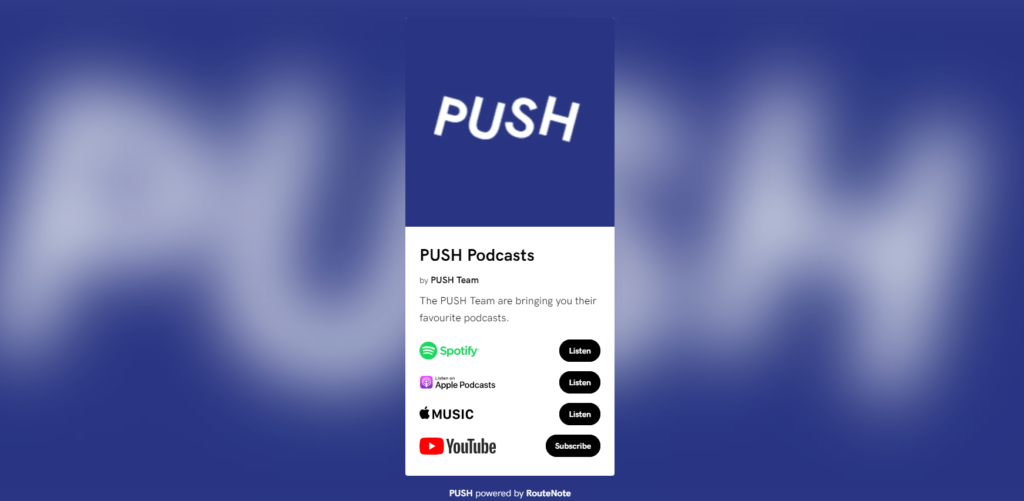
PUSH.fm gives podcasters an all-in-one Smart Link that makes it simple for listeners to access episodes on their preferred platform. Instead of juggling multiple URLs, you can promote one single link that works everywhere.
Why podcasters need smart links
Traditional links limit your audience. If you only share a Spotify link, you’re excluding Apple Podcast listeners. If you only promote Apple, you risk losing those who use another app. Smart Links solve this problem.
With a PUSH.fm Fan Link, you can:
- Combine all podcast platforms into one shareable link.
- Make it easy for your audience to listen wherever they prefer.
- Track clicks and engagement through built-in analytics.
- Present your podcast in a professional, branded way.
This not only simplifies promotion but also increases the chance of converting casual browsers into loyal listeners.
How to create a PUSH.fm link for your podcast
Setting up a PUSH.fm link for your podcast episodes is quick and beginner-friendly.
- Sign up for a free PUSH.fm account – you don’t need to pay to get started.
- Choose the ‘Fan Link’ option – this allows you to create a Smart Link.
- Add your podcast episode URLs – include Spotify, Apple Podcasts, Google Podcasts, Amazon Music and more.
- Customise your landing page – add your artwork, podcast description and branding.
- Publish and share your link – copy your unique PUSH.fm URL and start promoting.
Within minutes, you’ll have a professional Smart Link that houses your latest episode.
The best ways to share your PUSH.fm podcast link
Once your link is live, promotion is key. Here are some proven strategies:
1. Add your PUSH.fm link to your podcast show notes
Every episode description should include your Smart Link, so new listeners can easily subscribe on their preferred app.
2. Share your link on social media
Post your PUSH.fm link on Instagram, TikTok, X and Facebook. Use engaging visuals, audiograms or teaser clips to grab attention and encourage clicks.
3. Pin your link to your profiles
Keep your Smart Link front and centre by pinning it to your Twitter/X profile, Facebook page or TikTok bio.
4. Include your link in email newsletters
If you send out updates, include your PUSH.fm link in every email, so your audience never misses an episode.
5. Use QR codes for offline promotion
PUSH.fm lets you generate QR codes linked to your smart page. Add them to posters, flyers, business cards or merch for easy scanning.
Tracking your results with PUSH.fm analytics
One of the most powerful benefits of using PUSH.fm is its built-in analytics. You’ll be able to:
- See how many people click your link.
- Identify which platforms are most popular with your listeners.
- Track engagement over time to measure growth.
By reviewing your analytics, you can adjust your promotion strategy and focus on the platforms that bring in the most listeners.
For podcasters, PUSH.fm is the easiest and most effective way to share episodes across multiple platforms. A single smart link ensures that no listener is left behind, while professional branding and analytics help you stand out in a crowded space.
Whether you’re just starting your podcast or looking to grow an established show, using PUSH.fm to share your episodes will save you time, improve your promotion and connect you with more listeners.


