
If you sell a music download, fans need to know which files they will receive and how they can use them. Describing a product as simply offering ‘high-quality audio’ is less useful than clearly explaining the formats included.
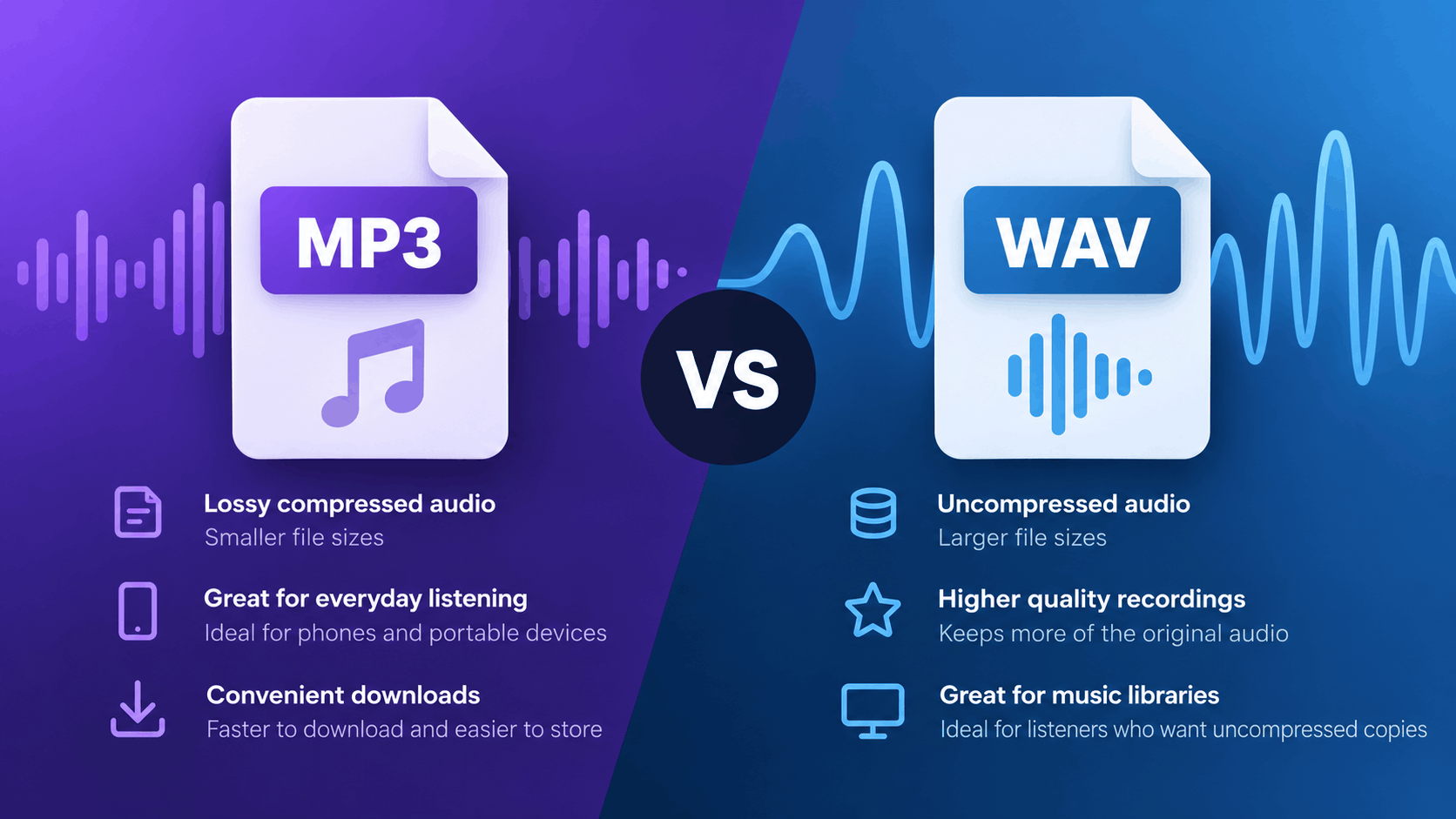
Choosing between MP3 and WAV for music downloads depends on the product and the listener’s needs. A smaller listening copy may be more convenient, while someone who wants an uncompressed recording may prefer a larger file.
Explaining these differences on your sales page helps buyers make an informed decision before paying.
Understand what you are offering
Before selling your music, it’s important to understand the differences between MP3 and WAV files.
MP3 uses lossy compression, which reduces file size by discarding some audio information. The export settings you choose affect the balance between sound quality and file size.
WAV is commonly used for uncompressed audio. A conventional PCM WAV export stores uncompressed audio data, resulting in larger files that preserve the information present in the source recording.
However, WAV is technically a container format, so it’s important to check the actual export settings rather than relying on the file extension alone.
When preparing your music for sale, make sure you accurately describe the files your fans will receive.
Important: Changing a file extension does not convert its format. Renaming an MP3 file from .mp3 to .wav does not turn it into an uncompressed recording.
Start with the fan’s likely use
Think about how your audience will listen to the music they’re purchasing.
Someone downloading an EP to enjoy on their phone may prefer MP3 files because they’re smaller and easier to store.
Another listener might want WAV files to maintain an uncompressed collection of their favourite recordings.
Neither option is necessarily better for every listener.
When MP3 might be the better choice
MP3 files can be particularly useful when:
- Fans primarily listen on smartphones or portable devices.
- Download speed and storage space are important.
- You want to provide convenient listening copies.
- Your audience prefers smaller, more manageable downloads.
When WAV might be the better choice
WAV files may appeal to listeners who:
- Prefer uncompressed audio recordings.
- Maintain a personal collection of high-quality music files.
- Have sufficient storage space for larger downloads.
- Specifically want the original uncompressed export.
You can also offer both formats within the same purchase, provided your files fit within your available storage allowance.
PUSH.fm supports a variety of digital file formats through its Pay Links. You can learn more in the PUSH.fm guide to accepted Pay Link file types.
Explain the differences plainly
Your fans shouldn’t need technical audio knowledge to understand what they’re purchasing.
A simple comparison can help explain what each format offers.
| Question | MP3 listening copy | PCM WAV copy |
|---|---|---|
| How is the audio stored? | Lossy compressed audio | Uncompressed audio |
| What happens to file size? | Usually smaller, depending on export settings | Usually larger for comparable duration and channels |
| What should the seller specify? | Bitrate or quality setting where useful | Sample rate and bit depth where useful |
| What should the buyer check? | Compatibility with their intended player | Compatibility and available storage on their intended player |
| What is the main benefit? | Convenient downloads and smaller files | Uncompressed audio for listeners who prefer it |
Compatibility depends on the device and application being used, so avoid promising that every format will work universally.
It’s also worth remembering that converting an MP3 into a WAV file does not restore audio information lost during compression.
Where possible, prepare each format from the appropriate original recording or master file.
Organise multiple versions clearly
If you’re including both MP3 and WAV versions in a paid download, organise them so customers can easily identify the files they want.
Use clearly labelled folders
For example, your download could contain:
MP3 tracks
- 01 – Track name.mp3
- 02 – Track name.mp3
- 03 – Track name.mp3
WAV tracks
- 01 – Track name.wav
- 02 – Track name.wav
- 03 – Track name.wav
This makes it immediately clear that the folders contain different formats of the same recordings, rather than additional songs.
Keep filenames consistent
Use matching track numbers, song titles and artist names across both versions.
Avoid including unfinished mixes, earlier exports or unrelated project files unless they’re specifically advertised as part of the product.
Before uploading, check that every track has the correct:
- File format
- Track title and number
- Audio version
- Beginning and ending
- Filename and extension
Testing the finished download package helps ensure fans receive exactly what you’ve advertised.
Use clear wording on your sales page
Your product description should explain what’s included without overwhelming buyers with technical details.
Here are two examples you can adapt.
If you include both MP3 and WAV
“This digital download includes the same [number] tracks in MP3 and PCM WAV formats. Choose the MP3 folder for smaller listening files or the WAV folder for uncompressed copies. The complete download is approximately [verified size].”
If you include MP3 only
“Includes [number] MP3 tracks, exported at [verified setting]. WAV files and physical copies are not included.”
Replace the placeholders with your actual product information before publishing.
You can also include details such as the release title, track listing and any exclusive content included with the purchase.
PUSH.fm allows you to add a product name, description, price and feature image when creating a Pay Link. For more information, see the PUSH.fm guide to creating a Pay Link.
Test access before promoting the download
Before sharing your paid download with fans, make sure the files are ready and your product information is accurate.
Check your available storage
Larger WAV files can use considerably more storage than MP3 versions.
PUSH.fm currently provides:
- Free plan: 1GB of account storage.
- Premium plan: 50GB of account storage.
- Maximum individual file size: 5GB.
Check the current limits before uploading, particularly if you’re selling an album or a collection containing multiple audio formats.
You can find further details in the PUSH.fm storage and account FAQs.
Review your download package
Before promoting your music:
- Confirm that every advertised track is included.
- Check that the MP3 and WAV files use the correct export settings.
- Make sure folders and filenames are clearly labelled.
- Verify the total download size.
- Review your product description for accuracy.
- Test the files in the applications you expect fans to use.
- Review the purchase and download process supported by your sales setup.
PUSH.fm’s Pay Links allow creators to sell digital products directly to their audience, including music downloads.
You can upload individual files or multiple files that are packaged together for delivery.
Make the format choice clear before fans buy
Whether you choose MP3, WAV or both, the most important thing is that your audience understands what they’re purchasing.
MP3 files offer smaller, convenient listening copies, while PCM WAV files provide uncompressed audio for listeners who prefer that format.
Neither option needs to be presented as the only correct choice.
By listing the included formats, explaining how the files are organised and checking the finished download before publishing, you can give fans a straightforward purchasing experience.
Clear product descriptions help customers choose the right download and know exactly what to expect when they buy your music.