Running a Questions & Answers (Q&A) session on Instagram Stories is one of the easiest ways to connect directly with your audience. It gives your followers a chance to ask you questions, while helping you build trust, show off your knowledge, and gather content ideas for future posts.
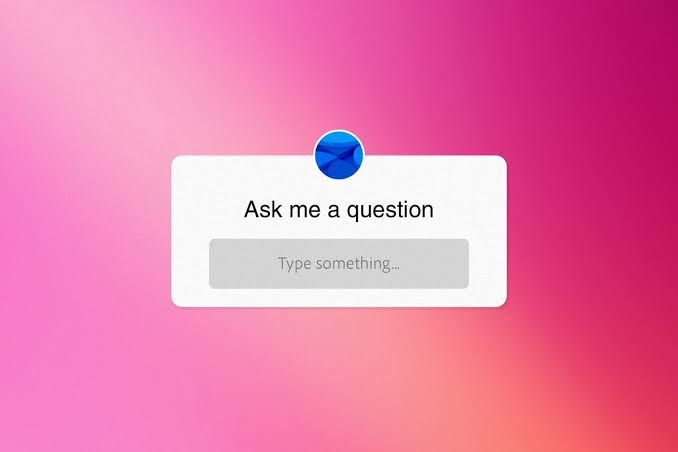
However, many creators hesitate to host a Q&A because they fear the ultimate social media nightmare: crickets. What happens if you post a question box and nobody responds?
The good news is that with a tiny bit of preparation, you can run a lively, engaging Q&A every single time. Here is a clear, step-by-step guide to hosting a successful session on your Stories.
1. Frame your prompt around a specific topic
The most common mistake beginners make is asking a question that is far too broad, such as “Ask me anything!”.
When a prompt is completely open-ended, followers often freeze because they don’t know where to start. Giving your audience a specific topic makes it much easier for them to type a quick reply.
| Weak prompt | Strong, focused prompt |
|---|---|
| “Ask me anything!” | “Ask me anything about starting a garden on a budget 🪴” |
| “Got any questions?” | “Struggling with post-workout recovery? Drop your questions below!” |
| “Q&A time!” | “Ask me your top questions about planning a trip to Cornwall 🏖️” |
2. How to set up the Questions sticker
Setting up your Q&A prompt inside Instagram takes less than a minute:
- Take a photo or video: Open your Instagram camera and capture a clean background image or short video of yourself introducing the topic.
- Add the sticker: Tap the Sticker icon (the square smiley face at the top of the screen) and select the Questions sticker.
- Type your prompt: Replace the default “Ask me a question…” text with your focused topic.
- Publish your Story: Tap share to post it to your Stories for the next 24 hours.
3. Seed the first few questions yourself
Here is a industry secret: almost nobody wants to be the first person to ask a question.
If your responses are slow to start, you can easily prime the pump yourself:
- After publishing your Story, go to your own Question sticker and submit two or three common questions you know your audience would find useful.
- Nobody else will see that you typed them! When you share the responses later, Instagram hides the original sender’s username by default.
Answering these initial questions builds immediate momentum and shows latecomers what kind of topics you are covering.
4. How to share and answer responses cleanly
As responses start rolling in, you can find them by swiping up on your original Story or checking your notification tab.
- Keep answers brief and scannable: Tap “Share Response” on a question. Write a short, friendly answer using clear text. Avoid huge walls of text on a single screen—break your points across two or three Stories if needed.
- Mix up formats: Answer some questions using plain text over a photo, and answer a few key questions by speaking directly to the camera. Face-to-camera videos help your personality shine through.
- Protect privacy: Instagram automatically hides usernames on question sticker responses, keeping your followers’ identities private so they feel safe asking sensitive or beginner questions.
5. Turn your answers into permanent content
Do not let your hard work disappear after 24 hours! A great Q&A session is packed with valuable information that new followers will want to see for months to come.
- Save to a Highlight: Once your session finishes, group your best Q&A Stories together and save them to a Story Highlight cover on your profile titled “Q&A” or “FAQ”.
- Create a main feed post: If one particular question generated a brilliant, detailed discussion, turn that response into a full post, Reel, or carousel graphic for your main feed later in the week.
Hosting a Q&A session doesn’t have to be nerve-wracking. By picking a clear topic, keeping your answers short, and saving your best insights to your profile, you will quickly build a warm, interactive community on your page!