
A fan has entered your music competition. The next message should explain what happens now: when entries close, how the winner will be contacted and where the entrant can find the competition details.
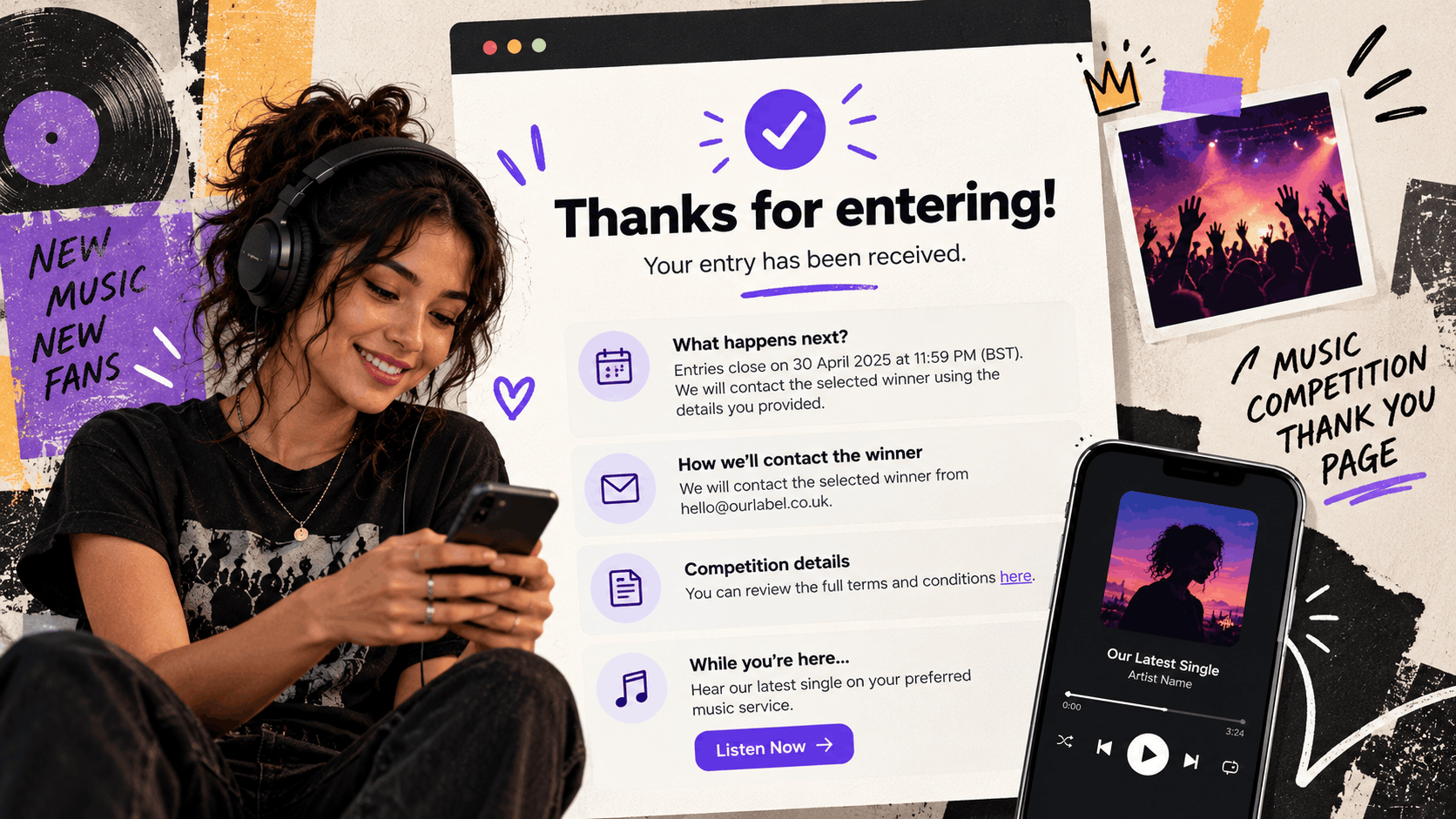
A music competition thank-you page can also offer an optional listening link. That gives someone a useful next step without suggesting they have won or need to complete another hidden requirement.
Write the page around the actual status of the entry. Confirmation, eligibility and winning are different things.
Confirm only what you know
Use “Your entry has been received” only when the entry process has genuinely completed and you can support that statement.
If the person still needs to finish a required step, explain it. If eligibility must be reviewed later, do not call the entry approved before that review has happened.
Keep the competition name visible. An entrant should be able to tell whether the confirmation refers to a signed record, a ticket giveaway or another offer.
You can explore PUSH Competitions for campaign setup, then adapt your confirmation wording to the behaviour your chosen setup actually supports.
For further guidance, read How to Run a Competition, which explains the process of creating and managing competitions through PUSH.fm.
Explain the timeline
Give the closing date and time, including the timezone where it matters. If you have committed to a winner-contact date in the competition terms, repeat it accurately.
Avoid inventing a deadline just to make the thank-you page feel complete. “We will contact the selected winner using the details supplied” is more accurate than a promised date you have not decided.
Explain the difference between closing entries and notifying a winner. A competition ending does not mean every entrant receives a result immediately.
PUSH’s competition setup guide explains that the organiser handles winner selection, contact and prize delivery. Your follow-up should describe the arrangements you have made for those responsibilities.
Make the contact route recognisable
Tell entrants which official route you will use to contact the winner. Use a route you control and can maintain.
For example: “We will contact the selected winner from [official email address].” Only publish that wording once you have confirmed the address and contact process.
Keep links to the competition terms and a genuine support route easy to find. The thank-you message should reflect the terms, rather than introduce new conditions after someone has entered.
For additional information about organising a giveaway, see Create Your Own Competitions – PUSH.fm’s New Premium Feature.
Add an optional listening invitation
A relevant song gives an entrant something to enjoy while the competition is running. Use a simple invitation such as “While you are here, hear [Song title] on your preferred music service.”
A music Smart Link can bring those listening destinations together. Label the invitation as optional unless listening is genuinely a declared requirement of the competition.
PUSH’s article on customising Fan Link landing pages explains how musicians can organise streaming destinations and other relevant links in one place.
Avoid presenting another action as necessary to protect an entry or improve winning chances when that is not part of the stated process.
Adapt this thank-you copy
Use the following example to create a clear and useful confirmation message for your music competition.
Heading
Thanks for entering [Competition name]
Confirmation
[Your entry has been received / accurate description of the current entry status].
What happens next
Entries close on [date] at [time and timezone]. We will contact the selected winner [verified contact arrangements].
Competition information
You can review [where the rules and relevant details are available]. For questions about your entry, use [official support route].
Optional listening invitation
Hear [relevant song or release] while you wait: [listening link].
Delete any line you cannot verify. Use this as copy for a supported confirmation screen, a separate page or another appropriate part of your campaign.
Do not assume your competition tool includes a custom thank-you page or automatic redirect.
Keep competition contacts organised
Entrant details can support competition administration. They should not automatically be treated as permission for unrelated promotional emails.
PUSH’s Audience tools can help organise contacts. The guide on collecting emails through PUSH Links explains how contact information gathered through campaigns appears in the Audience section.
Keep your competition records and any separate marketing signup choices clear, and avoid deleting entrant records casually while the selection process depends on them.
You can also explore What Is a Competition? to understand how entries and participant information are handled through PUSH.fm.
Check your thank-you page before publishing
Before publishing, complete the entry journey yourself and read the message as a fan.
Make sure the confirmation accurately reflects the entry status, the competition timeline is correct and all contact