
For new creators, one of the biggest challenges with social media is staying consistent. Posting regularly helps keep your audience engaged and gives the algorithm more to work with—but it can be overwhelming to think of new content every day.
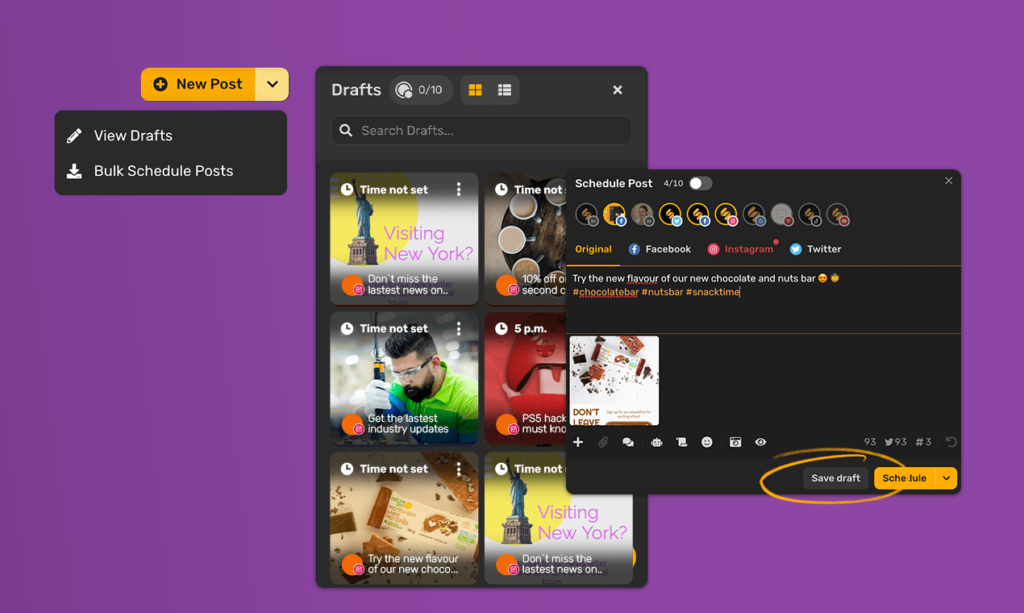
That’s where saving drafts, scheduling posts, and using tools comes in. These features help you stay organised, save time, and keep your social media presence strong without burning out.
Saving drafts in apps
Most major platforms allow you to save drafts of posts so you can come back later to finish them:
- Instagram – You can save a post, Reel, or Story as a draft instead of publishing right away. This is perfect if you’ve created the content but want to post at a better time.
- TikTok – Drafts are saved in your app, making it easy to film multiple videos in one session and decide later which to post.
- Twitter/X – Tweets can be saved as drafts, which is handy for planning threads or when you want to think about wording before posting.
Using drafts helps you capture ideas as they come, without the pressure of posting immediately.
Scheduling posts with built-in features
Some platforms now include scheduling options directly in their apps:
- Meta Business Suite (for Instagram and Facebook) allows you to create posts in advance and set them to go live at specific times.
- YouTube Studio lets you upload a video and schedule its release. This is useful for creating hype with a premiere or publishing content at peak viewing times.
- LinkedIn also has a built-in scheduling feature for posts, making it easier to plan professional content.
Scheduling ensures your content goes out consistently—even when you’re busy.
Third-party scheduling tools
If you manage multiple platforms, third-party tools can save you a huge amount of time. Popular free or affordable options include:
- Buffer – Simple scheduling across several platforms.
- Later – Designed with Instagram in mind, offering a visual content calendar.
- Hootsuite – A robust option for those managing multiple accounts and needing detailed analytics.
- Canva – Beyond design, Canva also offers scheduling to directly post your graphics.
These tools often include analytics, so you can track performance alongside posting.
Tips for making the most of drafts and scheduling
- Plan ahead – Use a content calendar to map out themes or campaigns.
- Batch create content – Record or design multiple posts in one session, then save them as drafts or schedule them across the week.
- Check analytics – Learn when your audience is most active and schedule accordingly.
- Stay flexible – Don’t be afraid to move things around if something timely comes up.
Saving drafts, scheduling posts, and using tools are all about making social media easier to manage. For creators, this means more time to focus on making great content instead of worrying about when to post it. By combining built-in features with third-party tools, you can stay consistent, professional, and stress-free in your social media journey.


